The United States issued 1099 forms to contractors at the end of each tax year. These 1099 forms report payments made to independent contractors to the IRS and ensure both parties meet tax obligations. When businesses have a large contractor base, manual preparation to create 1099 forms can be time-consuming, error-prone, and inefficient.
Fortunately, a 1099 form generator allows organizations to create and distribute hundreds or thousands of forms quickly, accurately, and in compliance with IRS regulations. In this blog post, you will learn why bulk 1099 generation is essential, how it simplifies contractor management, and how to create 1099 forms for large contractor teams with a step-by-step guide.
Why 1099 Form Generation Is Important to Large Teams?
Creating 1099 forms for a large team of contractors presents unique challenges in payroll and tax reporting. Bulk 1099 generation addresses several key pain points:
-
Complying with the IRS Regulations
The IRS requires businesses to issue a 1099 form for every contractor paid $600 or more during the tax year. If you somehow fail to comply with IRS regulations, it can result in penalties or audits. However, if you use 1099 form maker to create 1099 forms that are:
- Accurate reporting of all payments to contractors
- Compliance with federal and state tax requirements
- Pre-filled standardized forms ready for IRS submission
-
Reducing Manual Errors
Manually preparing 1099 forms for dozens or hundreds of contractors can lead to mistakes, such as:
- Insufficient amounts paid
- Missing contractor information
- Typos in the Tax Identification Numbers
1099 form creator automatically populates fields from your accounting or payroll system to create 1099 forms and reduces the risk of manual errors.
-
Saves Time
Manual 1099 preparation can take days or even weeks when working with large teams. The 1099 form generator allows businesses to process forms in minutes, freeing HR and finance departments to focus on more strategic tasks.
-
Simplification for Audit Preparation
Automated systems track the 1099s issued, the various payments, and the date of submission with full accuracy. This makes it easier to:
- Retrieve the history of forms for audits
- Verify the payment histories of contractors
- Ensure internal compliance, consistency, and reporting
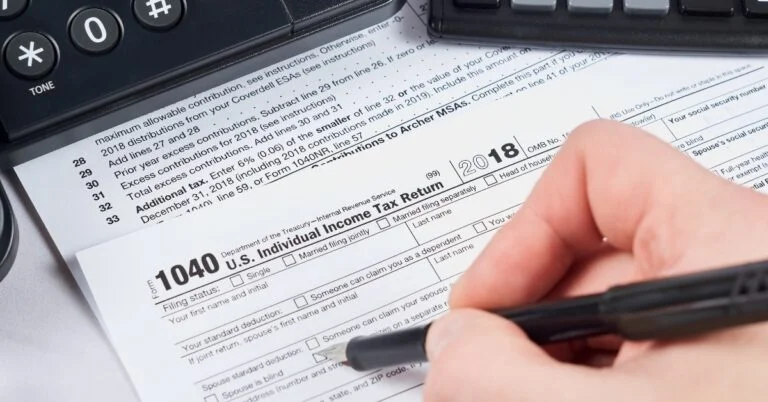
How to Create 1099 Forms: A Step-by-Step Guide
Generating bulk 1099 forms may seem challenging or tough at first, but using a structured approach simplifies the process. Here is a step-by-step guide to creating 1099 forms for large contractor teams:
Step 1: Verification of Contractor’s Information
Verify the name, address, TIN, and annual total of each contractor’s payments. Performing these steps early in the process will help avoid delays and errors later in the process.
Step 2: Determine the Right Type of IRS Form
Most non-employee compensation requires Form 1099-NEC. Payments that fall outside this category, such as rent or royalties, may require Form 1099-MISC. Confirm each contractor’s payment classification before generating forms.
Step 3: Import Data into Your 1099 Form Generator
Upload your list of contractors and payment history from your accounting or payroll system. You can import the data, or you can manually enter it to maintain consistency among forms.
Step 4: Bulk 1099s generation
After verifying the data, create 1099 forms in bulk at once using your chosen 1099 form generator by Docs Work Master. This produces standardized, IRS-compliant 1099 forms ready for distribution.
Step 5: Review and Send Forms
Perform a final check for accuracy. Distribute the forms electronically or by mail, and ensure that the contractors receive their forms prior to the IRS deadline.
Read our Blog on “How to Create 1099 Forms for Gig Workers and Freelancers?”
Advantages of Creating 1099 Forms in Bulk
An online 1099 Form Generator offers other major benefits apart from just saving time.
-
Compliance Assurance
Managing contractor payments is a critical task for businesses of all sizes, especially for organizations that rely on a large team of independent contractors. One of the most important compliance requirements for businesses is meeting IRS standards, which reduces the risk of penalties and audits. This gives assurance that every contractor is accounted for correctly.
-
Reducing Errors
Data is imported directly from payroll or accounting systems, which reduces mistakes that often occur with manual entry. Contractor names, TINs, and payment amounts are validated, minimizing discrepancies.
-
Time and Cost Savings
Batch processing of forms enables finance teams to do in a few minutes what would take them days to do manually. Savings from reduced administrative labor and lower printing costs go directly to the bottom line.
-
Scalable for Growing Teams
Bulk generation handles increased volume as organizations expand their contractor workforce. Additional manual work is not required, hence the process is scalable and sustainable.
-
Simplified Bookkeeping and Auditing
1099 form maker stores form data in a secure manner. It enables a business to view records in an instant. This simplifies audit preparation, compliance checks, and contractor queries.

Common Mistakes to Avoid During Bulk 1099 Form Preparation
Even with automation, the process to create 1099 forms can go very wrong if businesses overlook key details. Here’s what to avoid and why each of these things matters.
-
Incorrect or Unverified TINs
Filing forms that contain incorrect TINs will generate IRS penalties, and filings will be rejected. Always check the TIN before printing the form; use software that recognizes mismatches or the absence of data.
-
Misclassifying Payments to Contractors
Every payment does not belong on a 1099-NEC. For example, prize money or rent payments must be filed under 1099-MISC. Misclassification can result in inaccurate reporting and potential compliance issues.
-
Missing the IRS Filing Deadline
The IRS typically requires 1099-NEC forms to be delivered to contractors and filed by January 31. If you submitted late, it can trigger financial penalties. So, start your preparation early and use automated reminders built into your 1099 form creator.
-
Ignoring State Filing Rules
Some states require separate contractor payment filings even if the federal submission is complete. If you fail to meet state requirements, it may lead you to compliance complications. Understand your state’s specific rules before finalizing your forms.
Conclusion
The process to create 1099 forms for a large contractor team doesn’t have to be complicated or time-consuming. Bulk 1099 generation streamlines the entire process by reducing errors, simplifying compliance, and minimizing administrative workload. By using an online 1099 form generator to automate the process of creating accurate 1099 forms, businesses can confidently meet IRS deadlines and maintain a professional, organized contractor management system. An online 1099 form generator is essential for accurate and compliant financial reporting for organizations working with large or fast-growing contractor teams.
FAQs
Can 1099 generators handle hundreds of contractors at one time?
Yes, our online 1099 form creator is designed to create 1099 forms in bulk for a large team of contractors without performance issues.
Are online 1099 forms acceptable for tax purposes?
Yes, as long as the contractor consents to online delivery and the forms meet IRS formatting requirements. Online 1099 forms are acceptable for tax purposes.
Can I use the 1099 generator for contractors located in different states?
Absolutely. These platforms are built to support multi-state reporting and manage varying state compliance rules.