Tax season can be one of the most stressful times of the year for a business owner, particularly if you have employees to worry about and payroll to keep track of. Amidst balancing books and ensuring compliance, meeting deadlines can overwhelm even the best of employers. That is where a W2 creator, also known as a W-2 form generator or digital tax document maker, makes all the difference.
It automates many of the manual tasks involved in generating W-2s, allowing businesses to stay compliant and efficient. In this blog post, you will learn how a W-2 form generator makes tax season a breeze for employers, the features to look for in such a solution, how it integrates with payroll management, and why W-2 Form generators are rewriting the way businesses handle their financial documents.
Why W-2 Forms Matter for Every Employer?
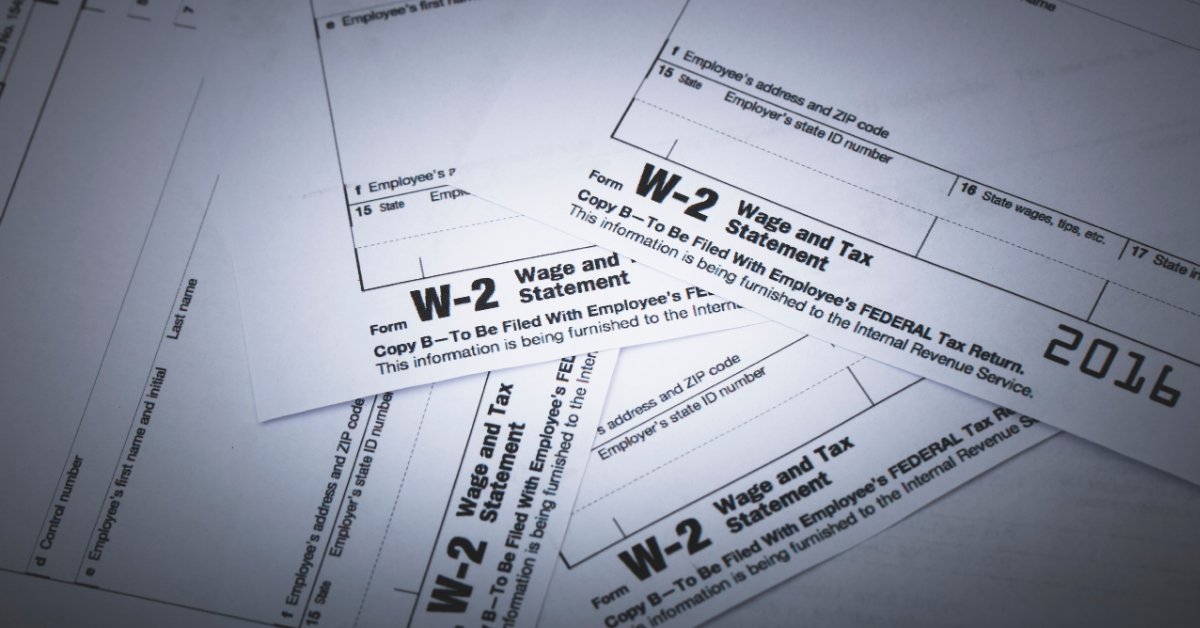
It is important first to understand why W-2s are crucial before looking into the benefits of automation. The W-2, officially known as the Wage and Tax Statement, is the document that employers have to mail to each employee and the IRS every year.
It summarizes how much the employee earned and how much was withheld for taxes, including Social Security, Medicare, and income taxes. These forms are important for both compliance and employee transparency.
However, preparing W-2s for several employees is tiresome and prone to errors. A little miscalculation or the smallest mistake in formatting might delay submissions or even trigger fines. This is why more employers are turning toward automated W2 creators for speed, accuracy, and peace of mind.
How a W-2 Creator Works?
A W2 creator is a web-based or software application, where an employer can input the essential payroll information, such as wages, tax withholdings, and employer identification numbers. It will automatically generate compliant W-2 forms that contain all the necessary information.
Here’s how the process works:
-
Input Payroll Information
Employers input employee information such as name, address, Social Security number, and wage information. Most W-2 generators allow for bulk uploading in Excel or CSV format to reduce time.
-
Automatic Calculation and Formatting
The software will automatically calculate the tax withholdings and fill in the corresponding boxes on the W-2 form. This minimizes the chance of human error and ensures consistent formatting.
-
Preview and Edit
Users can review every form before finalizing so that they can check for accuracy. Any information that is lacking or any inconsistencies that users may notice can be corrected before submission.
-
Export or Print
Once complete, the W-2 forms can be exported in PDF format or directly submitted to the IRS and SSA via supported e-file systems. Some platforms even enable you to email W-2s to employees securely.
Our W2 creator ultimately enables employers to create hundreds of forms in minutes, rather than taking hours over manual data entry.

Top Benefits of Using a W2 Creator
Using a W-2 form generator isn’t just a matter of convenience; it can improve accuracy, compliance, and productivity at tax time.
-
Saves Time and Reduces Stress
Manual W-2 preparation can take as long as days, especially for businesses that have more employees. A digital W-2 form maker automates the repetition that otherwise keeps your accounting team from more strategic tax planning and filing.
-
Eliminates Costly Errors
Data entry errors in W-2s can lead to IRS penalties or complaints by employees. By utilising automation, the software incorporates built-in validations and flagging systems for every form to ensure compliance with federal and state requirements.
-
Improves data security
Modern financial document generators, such as the Docs Work Master, utilise secure encryption protocols and no-storage policies to ensure the confidentiality of employee information. You remain in complete control of who can access or download your tax documents.
-
Customization and Branding
A professional W-2 maker enables you to add your company logo, address, and contact information. By using W2 Creator for customization and branding of your business, you can make the forms consistent, professional, and official, and improve the overall presentation of your payroll documents.
-
Streamlines Recordkeeping
A digital archive of W-2s will save you the frustration of having to dig through paper files to find a previous record. This simplifies audits and ensures you meet the IRS’s record retention requirements.
Why Employers Are Switching to Digital W2 Creator?
Digital payroll and financial automation continue to take the place of manual work in today’s advancing age. Employers are recognizing that old manual systems simply can’t keep up with compliance demands and efficiency goals.
Here’s why digital W2 creators are the new standard:
-
Compliance with IRS e-Filing Regulations
Businesses relying on manual forms risk falling behind as more states and the IRS move toward mandatory e-filing. Our W-2 creators ensure your submissions meet the latest electronic standards.
-
Remote and Hybrid Work Compatibility
With the number of companies now operating remotely, cloud-based financial tools let HR and finance teams collaborate securely from anywhere.
-
Payroll Systems Integration
Many W-2 form makers can integrate directly with payroll platforms like QuickBooks and eliminate double entry, ensuring data consistency.
-
Eco-friendly and paperless
Digital W-2 creation decreases paper waste and physical storage needs, thus supporting sustainability initiatives.
Read our Blog on “How a W-2 Form Generator Helps HR Teams Save Hours Every Month?”

Features to Look for in a Reliable W-2 Generator
Choose the Docs Work Master’s W2 creator that has the features offering a mix of ease of use, security, and customization options.
- Secure Encryption
Ensure that the tool uses HTTPS and encrypted servers to protect sensitive employee data.
- Template Accuracy
Ensure the W-2 template is updated for compliance with the latest IRS requirements. Using an outdated format may cause filing issues.
- Easy Data Import
CSV or Excel import options are a must for businesses that deal with many employees.
- Cloud-Based Access
Web-based platforms allow access anywhere, from any device, at any time. This can be quite ideal for remote teams and businesses with operations in multiple locations.
- Error Checking and Validation
The best tools automatically detect errors before submission, helping you avoid rejections or corrections.
- Export Flexibility
Export forms in various formats, such as PDF, XML, or direct IRS e-filing formats for maximum compatibility.
Responsible and Ethical Use Of W2 Creator
W2 creators are made to be used responsibly. They make the generation of documents so much easier; they should be employed only for valid, internal, or compliance-related purposes.
Always insert accurate and verifiable information. The misuse of generated accounting documents can result in fines or legal action. The usefulness of these tools lies in saving time and increasing productivity, not in manipulating or falsifying information.
Docs Work Master values the ethical use and protection of data. Our W2 creator is designed to help users, especially working professionals, manage, present, or keep financial records responsibly and securely.
Final Thoughts
Tax season doesn’t have to be a nightmare for any employer. A W2 creator makes the creation of compliant, accurate, professional W-2 forms easier than ever. Instead of dedicating several hours to manual entry and formatting, business professionals can rely on automation for financial document generation, ensuring compliance and security in employee records. Whether you’re managing a team of 5 or 500, it offers the flexibility, security, and precision you need to handle W-2 creation efficiently and responsibly.
FAQs
Can I use a W2 creator for my small business?
Yes, W-2 creators are designed for businesses of any size. Whether you have only one employee or hundreds, the tools make the whole process easier and more accurate.
Is a digital W-2 form legally valid?
Yes, so long as it meets IRS formatting and compliance standards. Digital forms are acceptable for employee distribution and submission to the IRS.
Do I still need an accountant if I use a W-2 generator?
Yes. A W-2 creator makes life easier by generating documents, but data accuracy should be subject to validation by an accountant or payroll expert and official filings.